Admin & usage views
In Transcribe
Dashboard
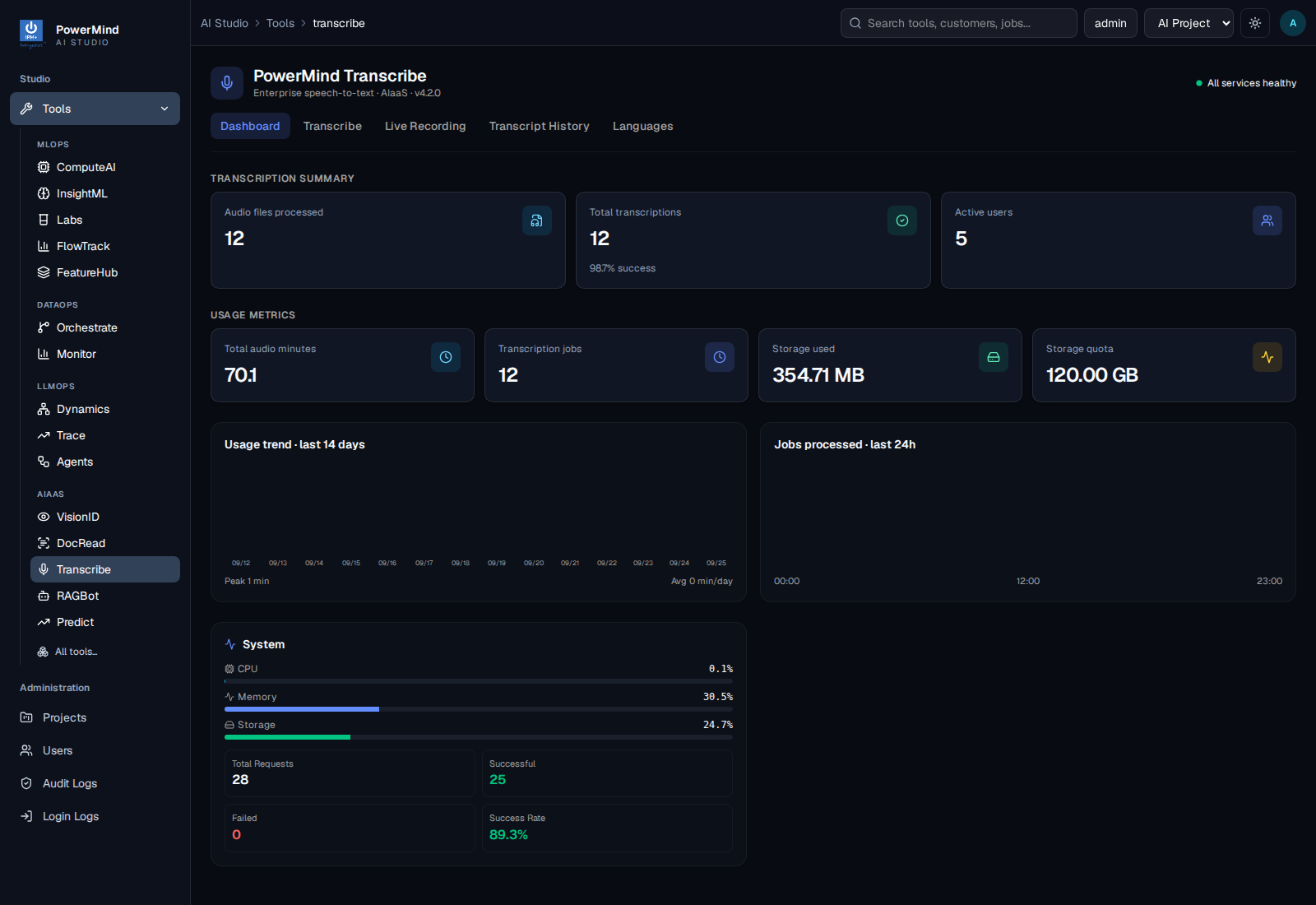
Use this to answer “how much audio was processed?” and “how full is storage?”.
Transcript History
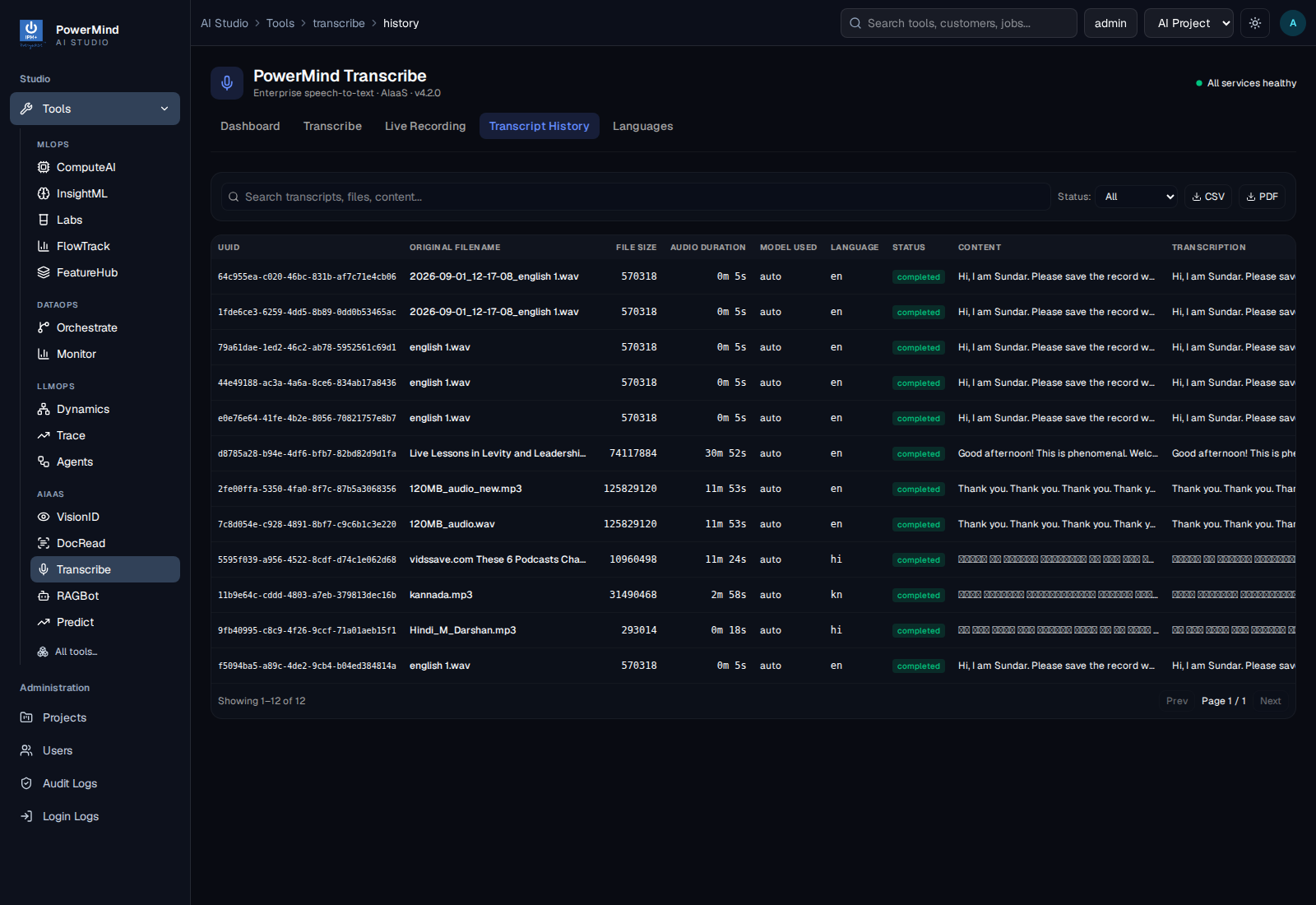
Job list for the signed-in user. Failed rows show why a file did not complete.
In Studio (left menu)
Administration on the marketplace:
Projects
Assign Transcribe on Edit project → A1 tools (example project: AI Project).
Users
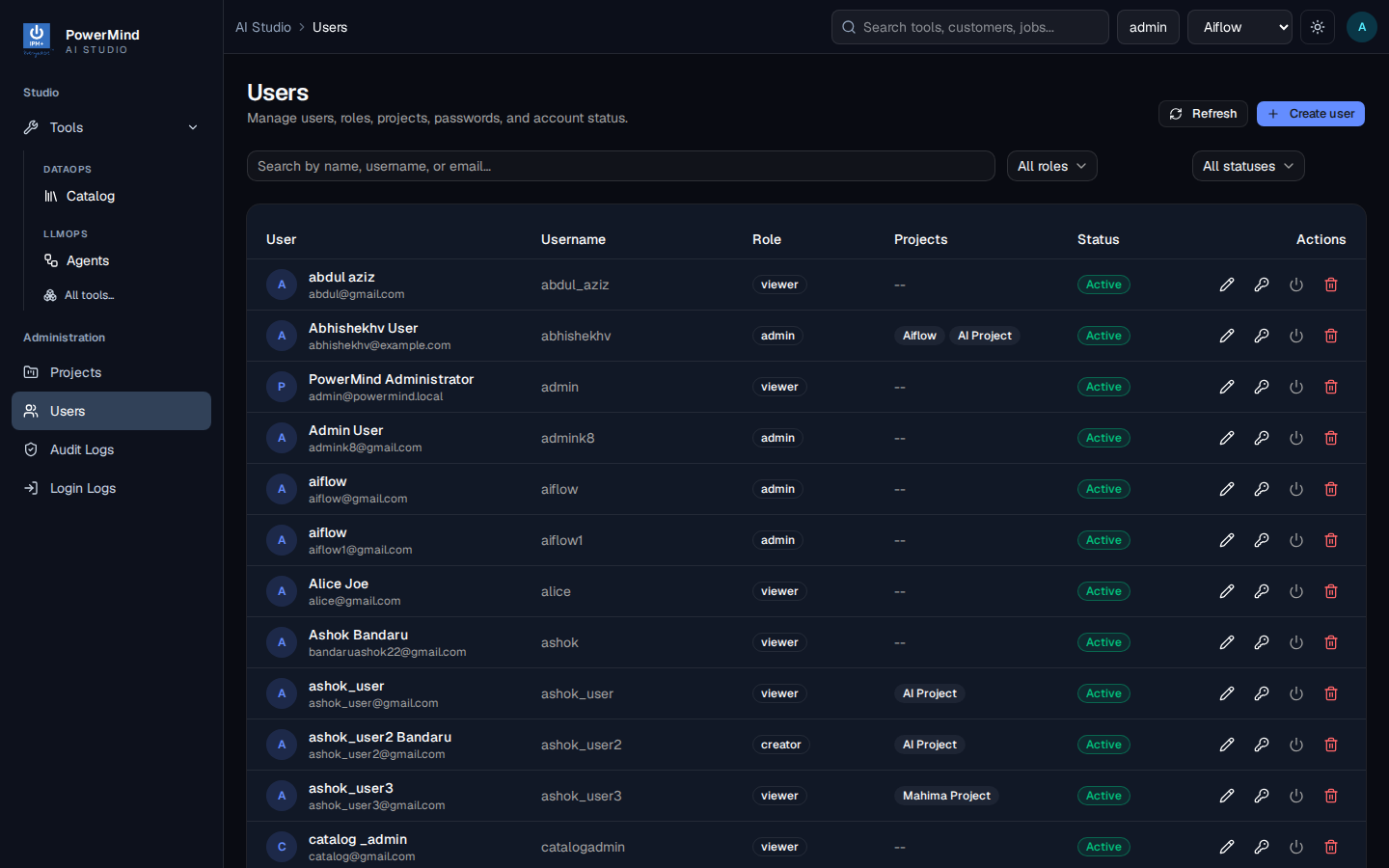
Roles, projects, passwords, Active/disabled.
Audit Logs
Platform-wide activity (user, action, tool, status, message). Separate from Transcribe API GET /api/v1/audit/logs.
PowerMind manages platform authentication and service configuration. Client administrators manage projects, users, quotas, and audit review through the supported interfaces.