Admin & usage views
In Orchestrate
Administration
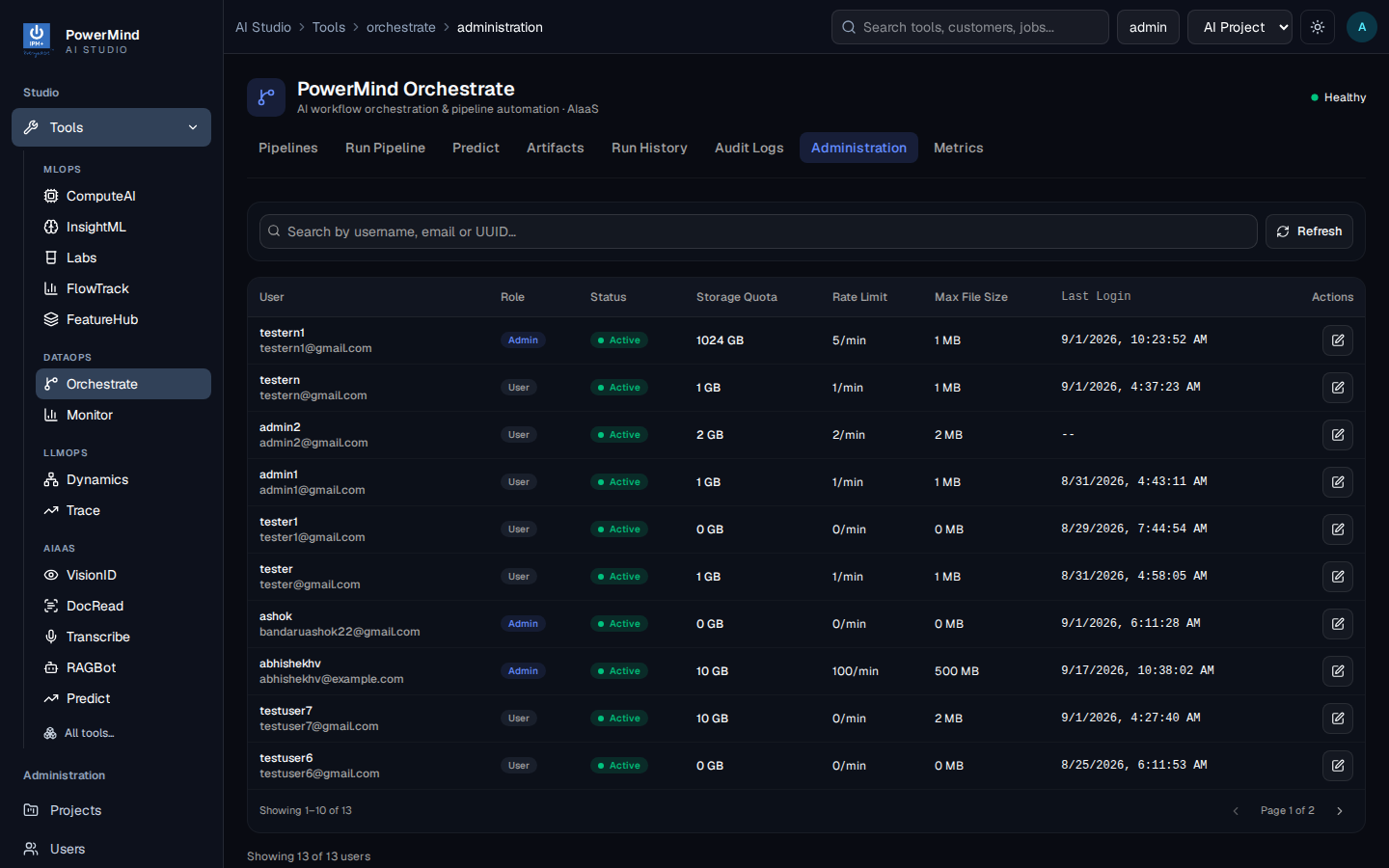
Orchestrate accounts: role, active or not, storage limit, rate limit, max file size, last login.
Audit Logs
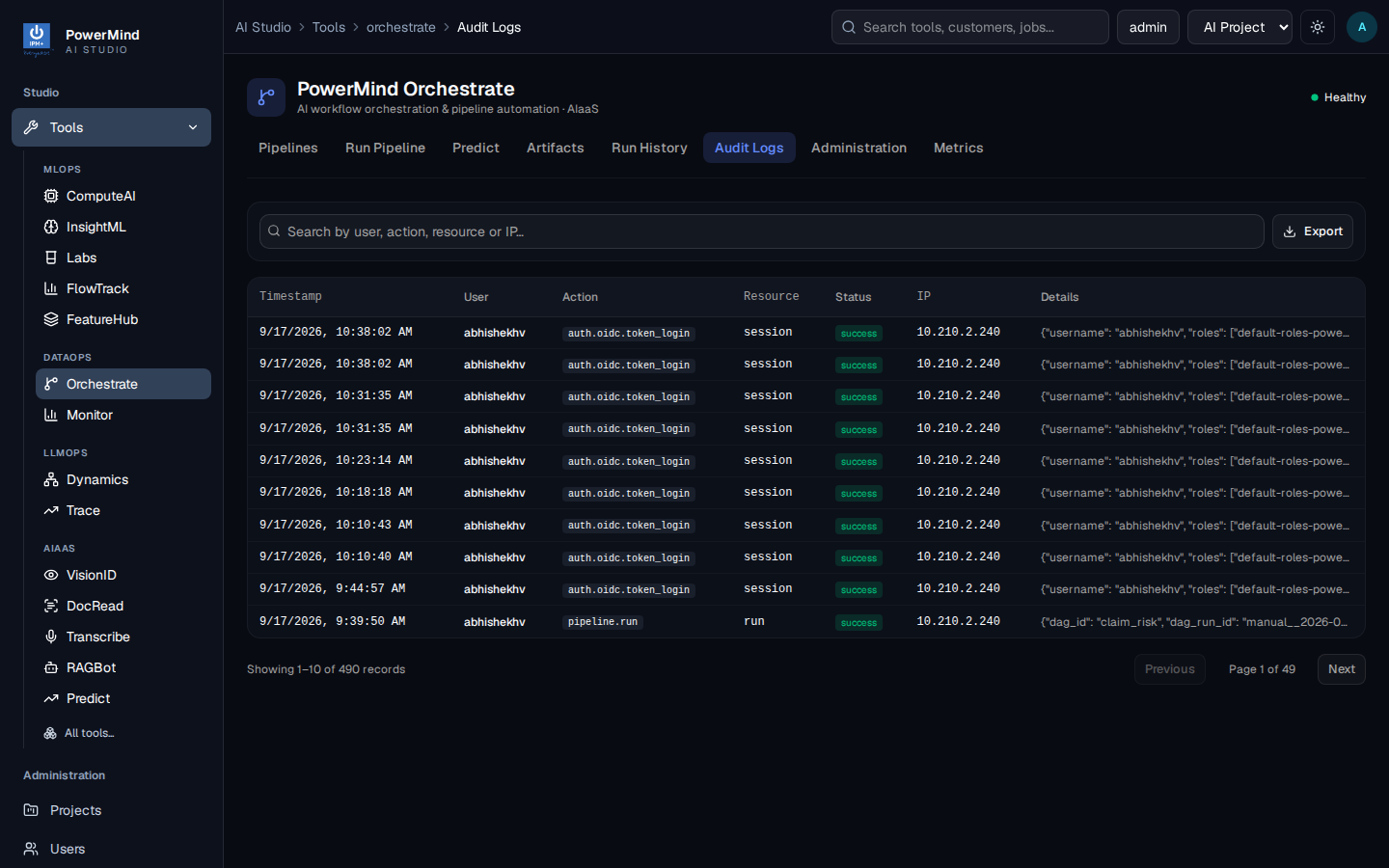
Who signed in, who ran a pipeline, from which IP. Search and Export.
Metrics
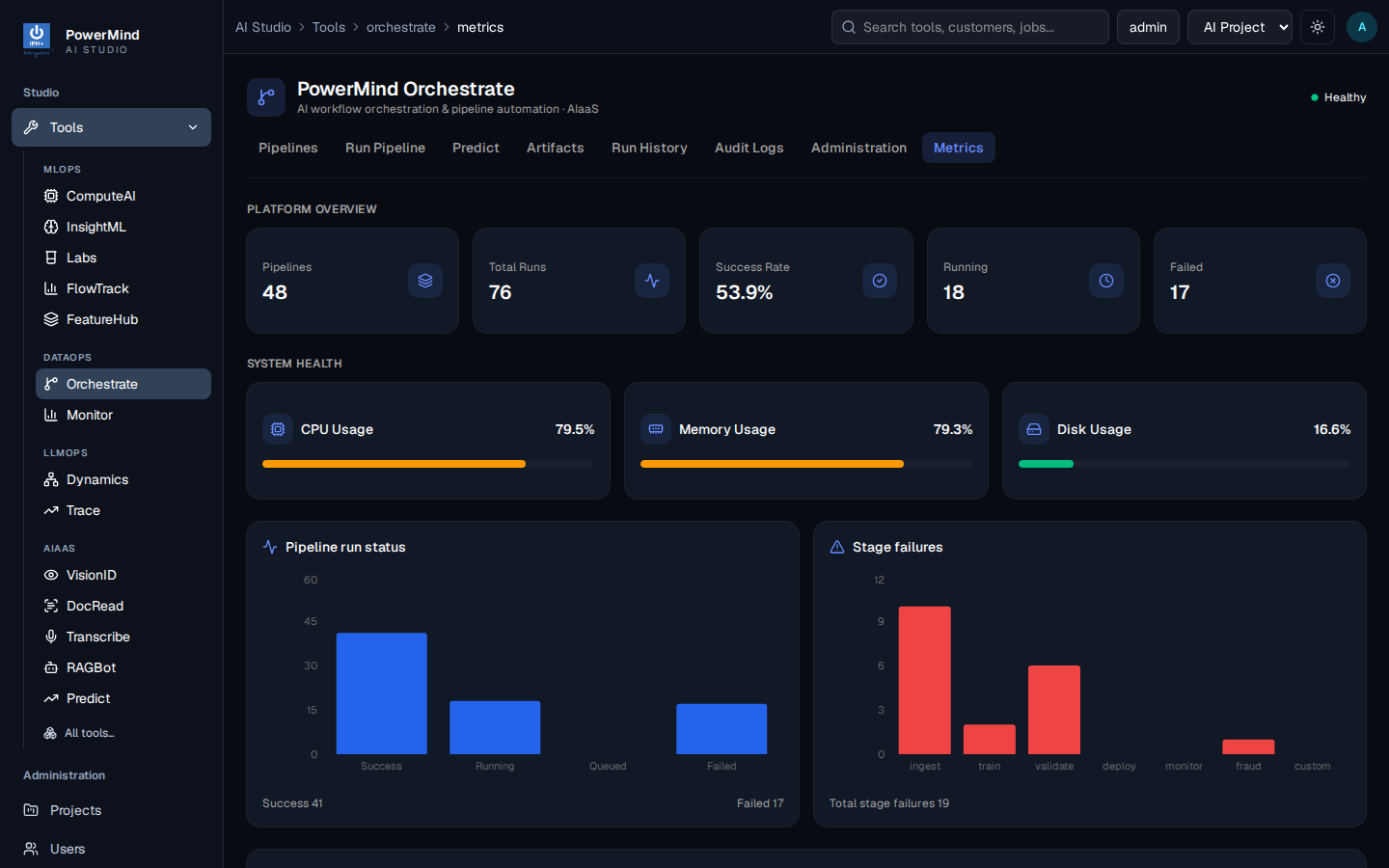
How many pipelines and runs, success vs fail, machine load.
In Studio (left menu)
Studio Projects, Users, and Audit Logs are separate from the tabs inside Orchestrate.
PowerMind manages platform authentication and service configuration. Studio users appear in Orchestrate Administration after they first access the tool. Client administrators manage roles, quotas, and audit review through the supported interface.