REST API — for integrators
If you use the Studio UI, you can skip this page. The Studio already calls these APIs for you.
Base path: /api/v1. Send the access token supplied for your integration as Authorization: Bearer <token>. The interactive API reference is available at /docs on your assigned DocRead host.
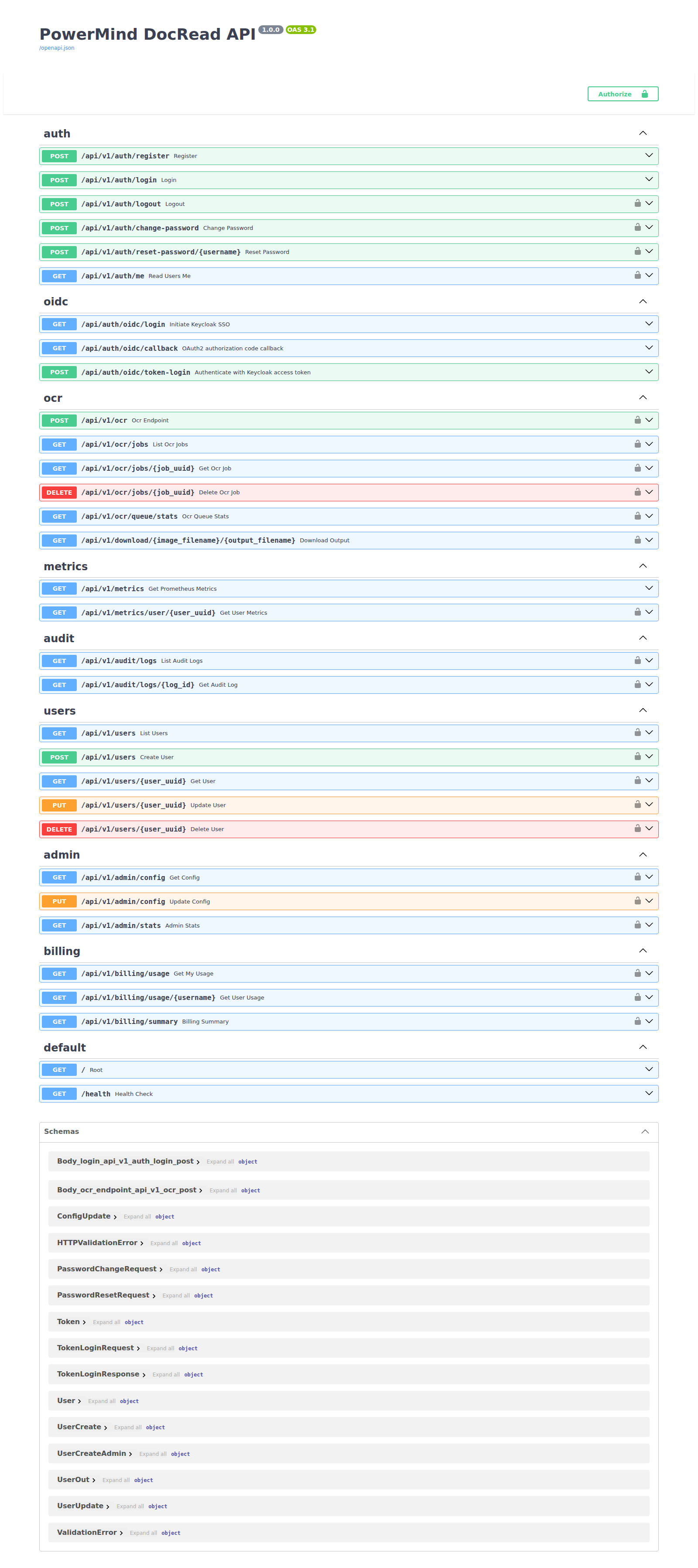
Typical user sequence
- Obtain an integration token from your PowerMind administrator and select Authorize.
POST /ocr— multipartfile+output_format(text/json/csv/docx). Optionalasync_mode=true.GET /ocr/jobsorGET /ocr/jobs/{uuid}— status and content.GET /download/{image}/{output}— download the result file.
Groups
| Area | Paths |
|---|---|
| Auth | /auth/register, /login, /logout, /me, /change-password, /reset-password/{username} |
| OCR | /ocr, /ocr/jobs, /ocr/jobs/{uuid}, /ocr/queue/stats, /download/{image}/{output} |
| Users (admin) | /users, /users/{user_uuid} |
| Admin | /admin/config, /admin/stats |
| Audit / billing | /audit/logs, /billing/usage, /billing/summary |
| Metrics | /metrics, /metrics/user/{uuid} |
| Health | /health |
Locks on Swagger rows mean you must Authorize first.